
A clear view. A considered decision.
A linen sofa, a warmer shade, a different finish. Give your client a clear view of the possibilities, with room to ask questions and decide what feels right.
Your clients can compare options and leave feedback without creating an account.
See how clients decide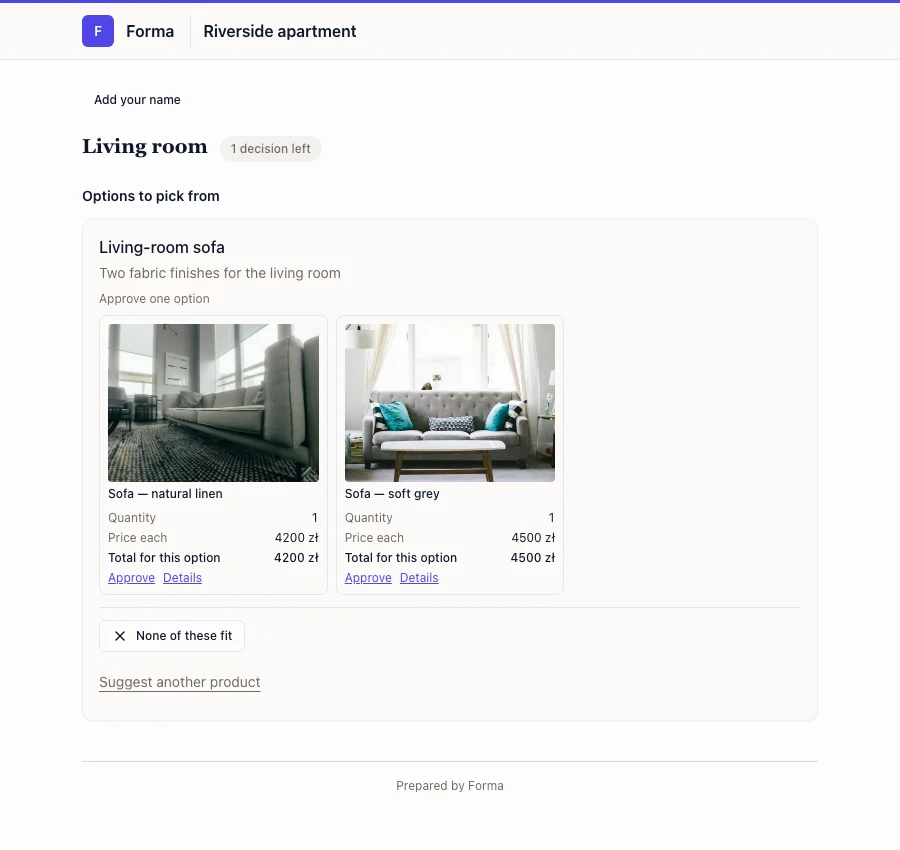
From a shortlist to a decision
1. Designer
Share the right options
Send a link to the options you want to discuss, or bring several shared views together in a project hub.
2. Client
Choose, ask or reconsider
Your client can compare the sofas, ask about the fabric or suggest another option. They can choose a favorite or tell you that none of the options fits.
3. Designer
Keep the project moving
Find the response beside the product or Choice. You can see what’s agreed and what still needs a decision.
The conversation stays with the work
The comment about the fabric stays beside the sofa. So does the decision. When you return to the project, you don’t have to piece the conversation back together.
- You choose which products and files your client can see.
- Show prices when they help the conversation, or keep them private.
- Approving a product records a decision; it doesn’t place an order.
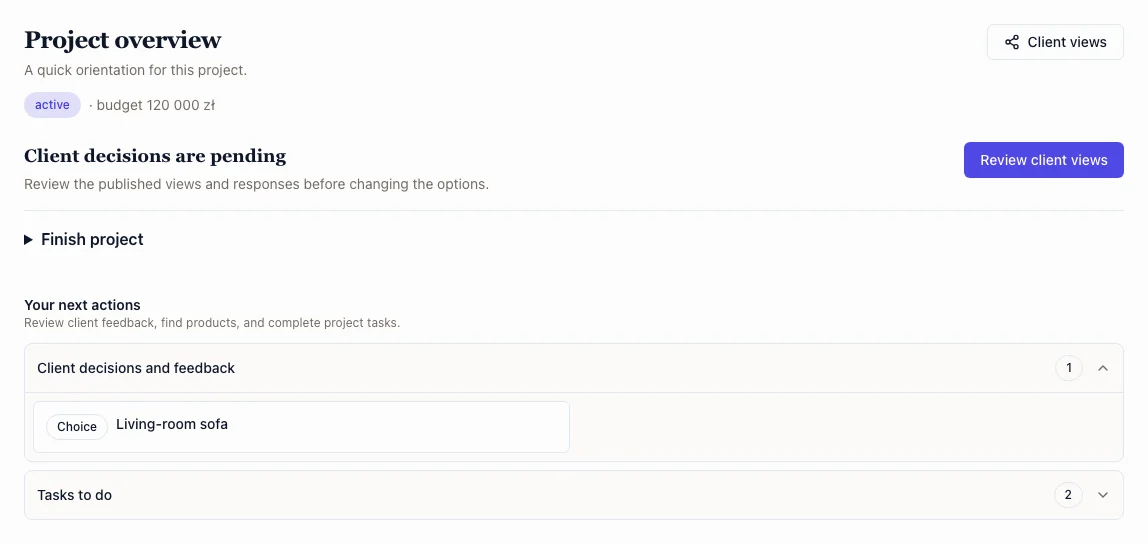
See how your studio can prepare the options and keep the project moving.
Explore studio benefitsMake your next client decision easier
Create a space for your studio, then share the options you’re ready to discuss.